
Android - EU publisher - one-time unlock
Private screen and camera recorder. Nothing leaves your phone.
Vireks+ records what is on your Android screen, or what your front or back
camera sees, and writes the result as a standard MP4 file to
DCIM/vireks+/. No ads. No watermark.
No INTERNET permission.
No analytics. No account.
Ten full-quality recordings are free, so you can verify it works on your device and your apps before paying. After that, a one-time ~15 EUR in-app purchase via Google Play removes the quota - forever, on your Google account. There is no subscription.

What Vireks+ does
One utility. Two capture groups. Zero surprises.
Vireks+ has two mutually exclusive capture modes - a Group A screen session or a Group B camera session - and everything else is a small setting or a convenience.
-
Records the Android screen
MediaProjection capture at the resolution and frame rate you configure. A short 3-second pre-roll lets you switch to the app you want to record.
-
Records the cameras
Front-only, back-only, both side-by-side, or both concatenated (front, then back) - one mode per session, encoded directly into a standard MP4.
-
Stills and time-lapse
Single-tap stills and time-lapse derived from the source recording. Configure cadence in Settings; the source MP4 is preserved alongside the derived artefacts.
-
Standard MP4 output
H.264 or HEVC video plus AAC audio (when audio is enabled). Plays in every player, uploads to every service, edits in every NLE. No exotic container.
-
Optional audio
Microphone audio is off by default. Toggle it on and Android shows the runtime
RECORD_AUDIOprompt. On Android 10 or newer, optional internal screen audio is also available for screen sessions. -
Storage-aware Start
Vireks+ checks free space before every session. Plenty? Silent green light. Low? A warning dialog. Critical? Vireks+ refuses to start, so you never end up with a truncated file.
See it on your phone
Real screenshots.
Unmodified captures from a device running Vireks+ 1.0 on Android 14. The home screen leads with a live free-storage estimate, then the source, video-format and sound pickers with toggles for time-lapse video and periodic screenshots. Themes, video settings, and the navigation drawer round out the tour.
-
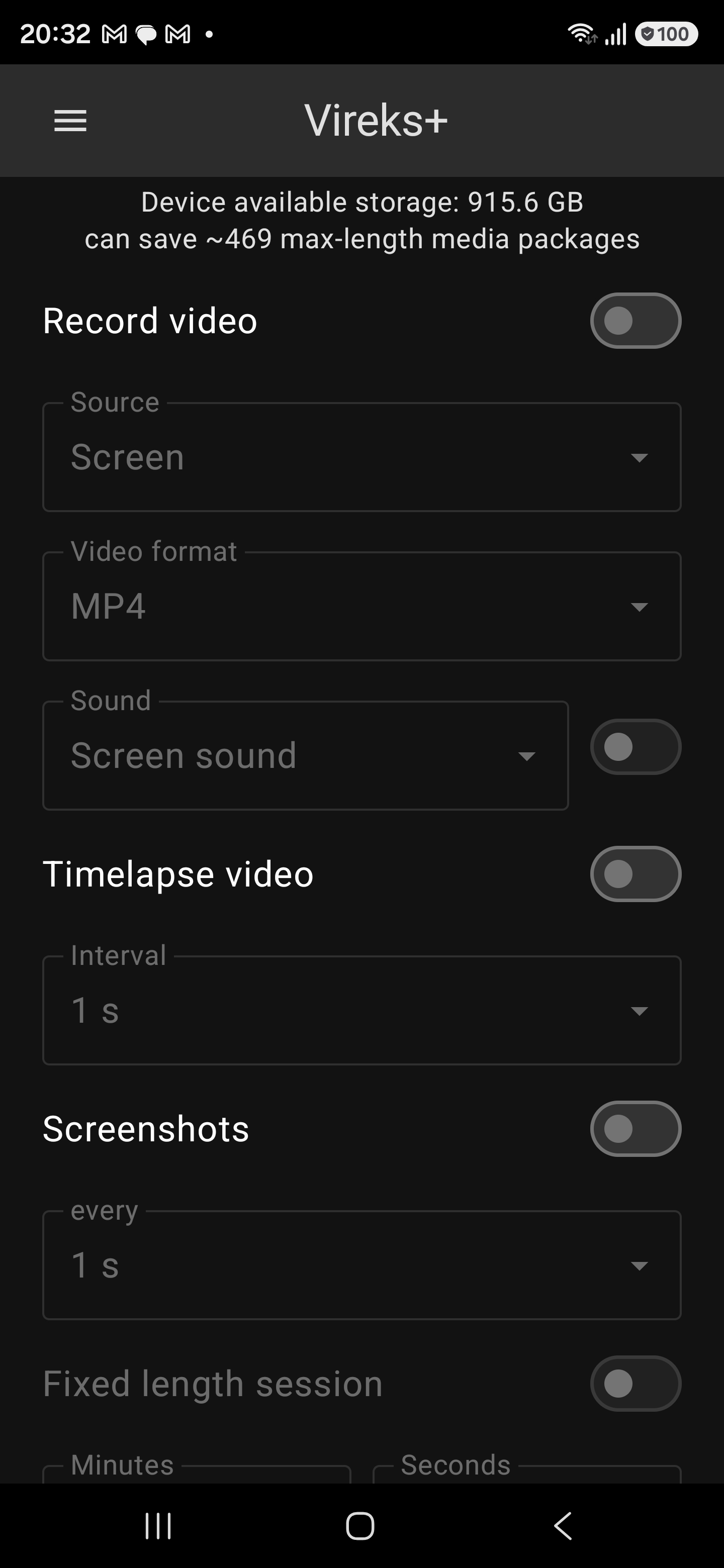
1. Home screen. Live free-storage estimate up top, then the source, video-format and sound picker with optional time-lapse and periodic-screenshot outputs. -
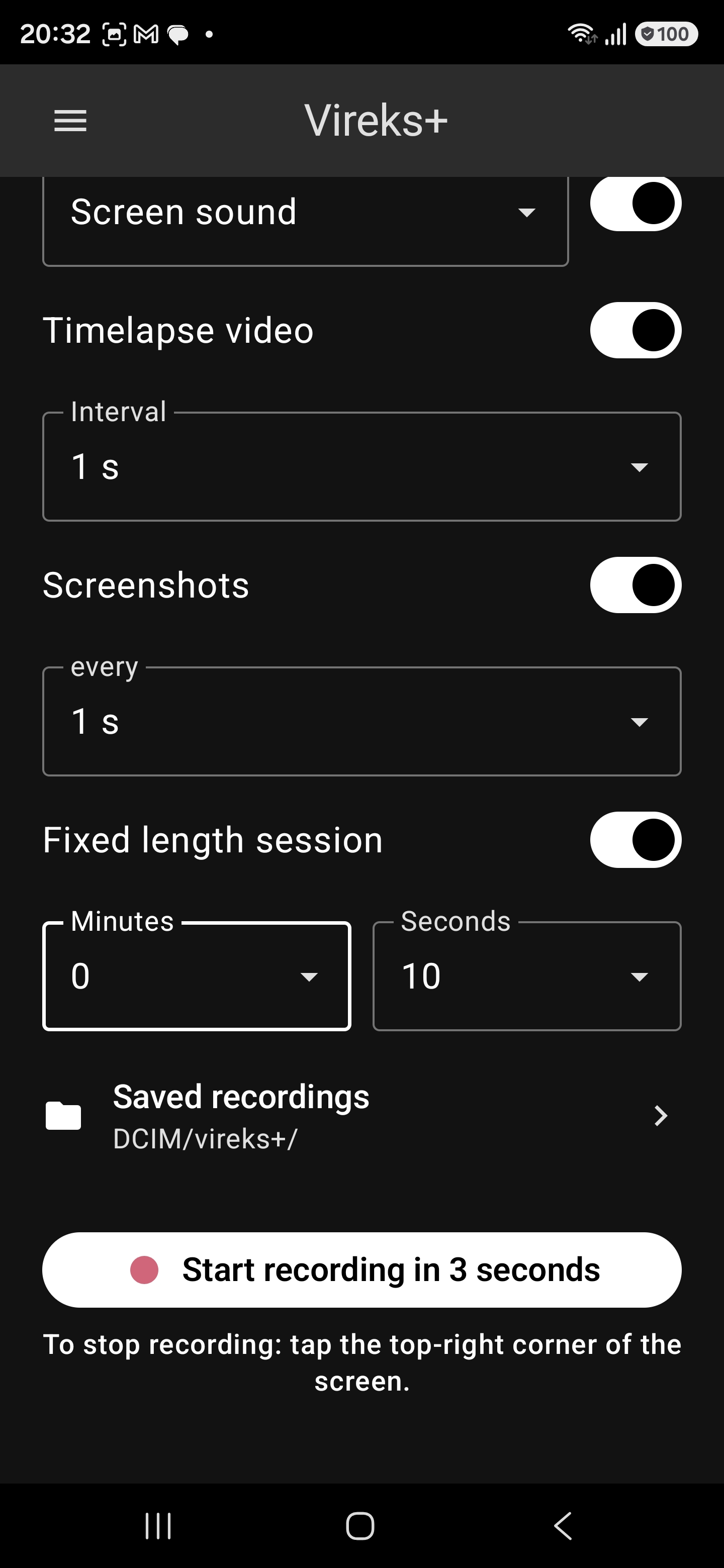
2. Ready to record. Toggle what you want, set a Fixed-length cap if you like, tap Start. Vireks+ writes to DCIM/vireks+/; the corner-tap stops. -
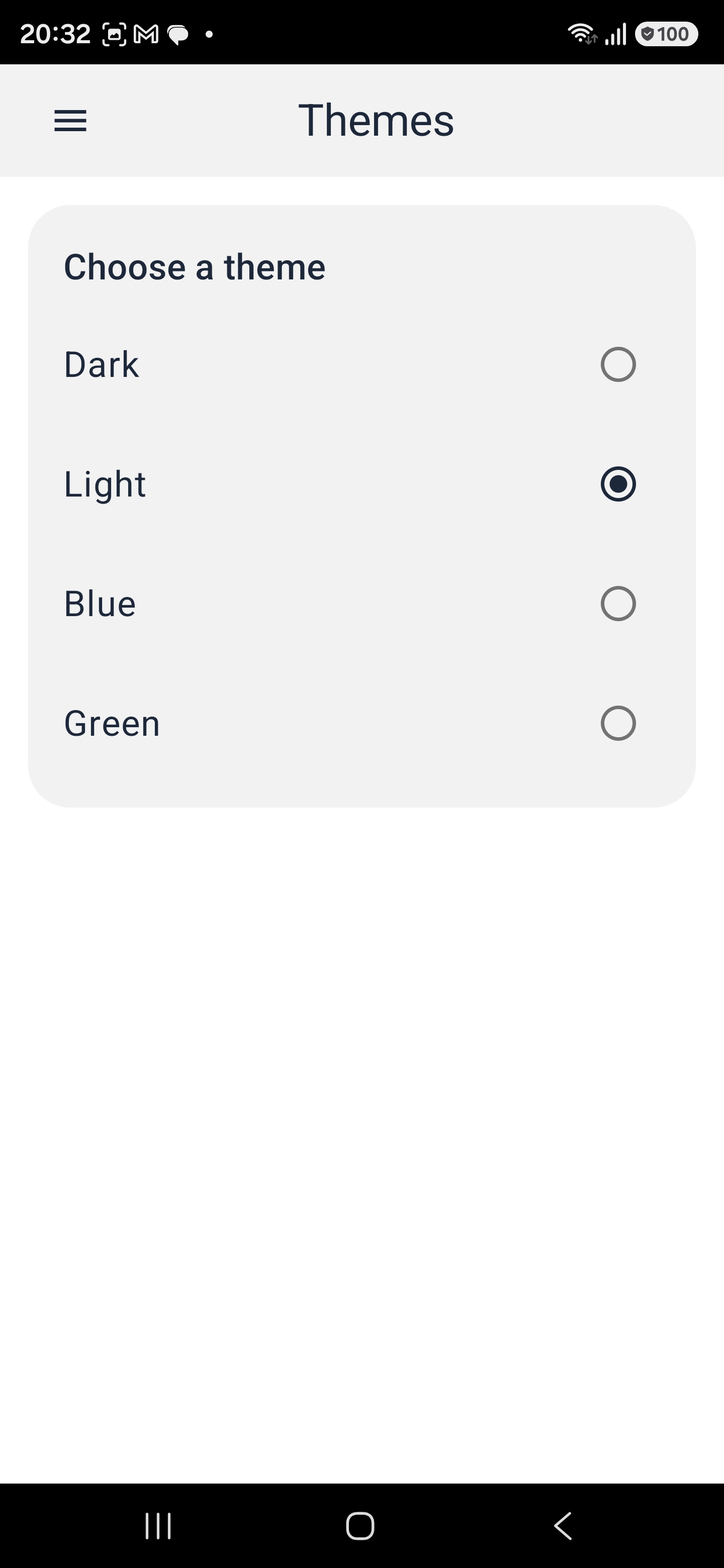
3. Themes. Dark, Light, Blue or Green - your app, your look. -
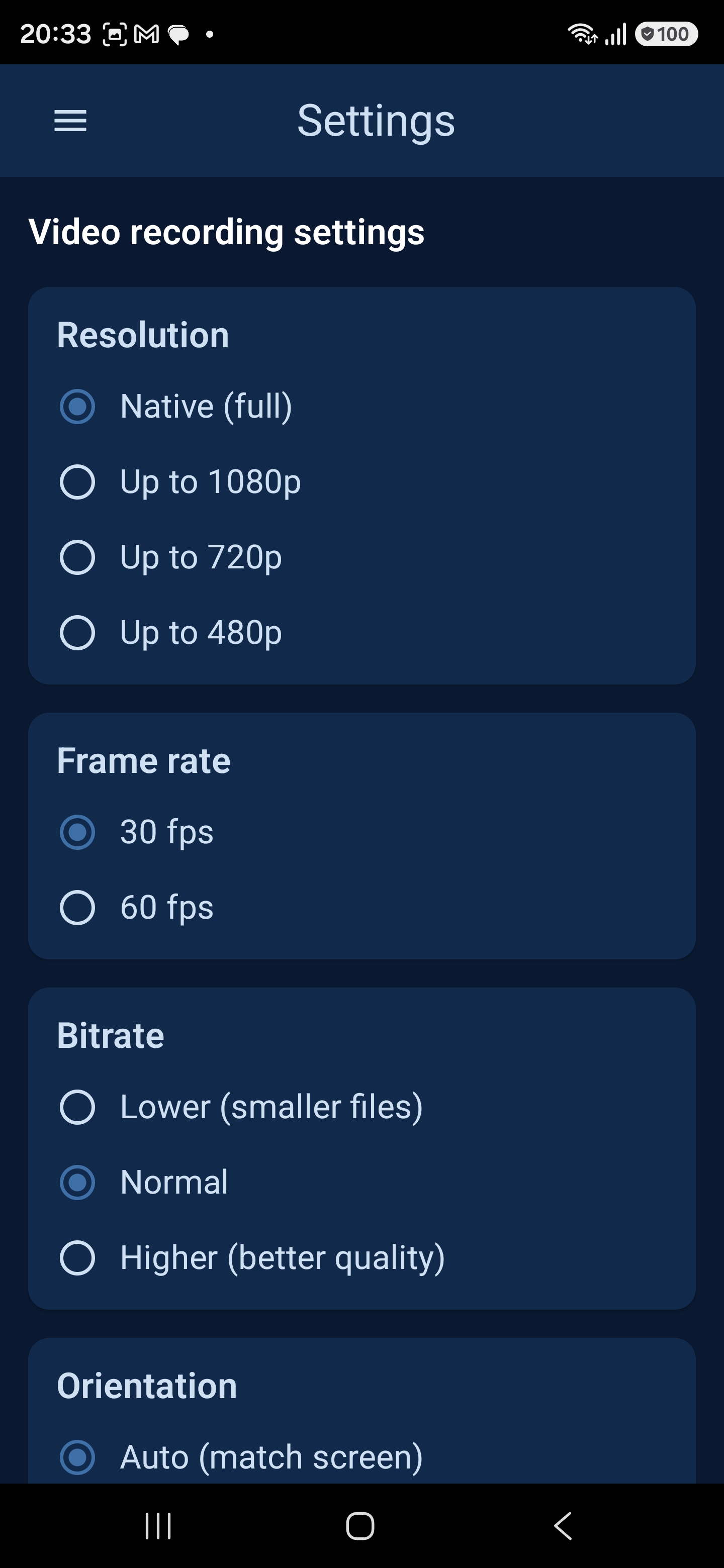
4. Video settings. Full control over Resolution, Frame rate, Bitrate and Orientation - defaults are sane, tweak when you need to. -
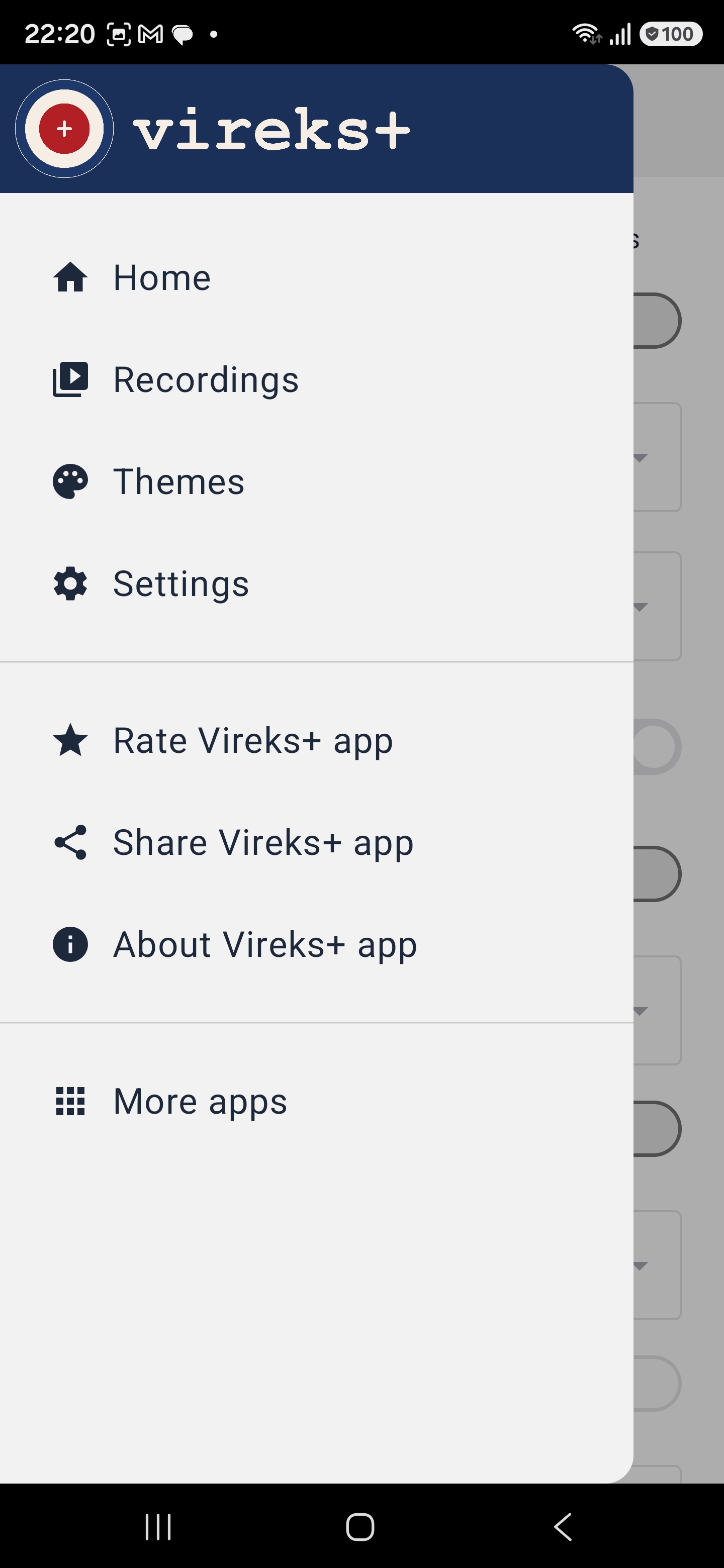
5. Navigation. Home, Recordings, Themes, Settings, plus Rate / Share / About and More apps by Zadio.
How a recording works
Pick. Tap. Record. Stop. Done.
Six steps. The third and fourth are Android's mandatory prompts and the pre-roll.
-
Pick a source
Screen, front camera, back camera, both side-by-side, or both concatenated.
-
Start with a 3-second pre-roll
Tap Start recording in 3 seconds. The button label tells you the delay is expected.
-
Confirm Android's prompt
Screen sessions show a system consent dialog; camera and audio sessions show the runtime permission prompts.
-
Navigate
For a screen session Vireks+ minimises so you can navigate to the app you want to record.
-
Stop
Screen sessions: tap the top-right corner. Camera sessions: tap Stop in the camera preview.
-
Find the file
The MP4 lands in
DCIM/vireks+/. Photos, Files, and Gallery pick it up automatically.
Provably private
The privacy claim is enforced in the manifest.
"No data collected" is not a marketing slogan bolted onto an SDK-heavy app. For Vireks+ it is a structural property of how the app is built. You can check it yourself.
-
No INTERNET permission
The final, merged Android manifest does not request
android.permission.INTERNET. Runaapt dump permissionson the published APK and verify. The app cannot open a network connection. -
No telemetry libraries
The release build does not link to Firebase Analytics, Crashlytics, Sentry, App Center, Adjust, AppsFlyer, the Facebook SDK, or any ad network. The only third-party library is Google Play Billing.
-
Nothing collected
The Google Play Data Safety declaration for Vireks+ states: no data collected, no data shared. The only file the app writes is the MP4 you asked it to record.
-
No account, no email
There is no sign-up flow. The free-quota counter lives on your device.
ANDROID_IDis read on-device only for tamper detection and, because there is no network, cannot be sent anywhere. -
Payment goes through Google Play
The ~15 EUR unlock is a Google Play in-app purchase. The network call that settles the payment happens inside the Play Store app on your device - not inside Vireks+.
-
EU publisher
Vireks+ is published by ZADIO EOOD, registered in Bulgaria (EU). Your statutory rights under the GDPR, the EU Consumer Rights Directive, and the Digital Content Directive apply by default.
Read the full posture in the Privacy Policy and verify the publishing entity in the Imprint.
Pricing
One honest price. No subscription.
The app installs for free. Ten full-quality recordings are free so you can verify Vireks+ works on your device and your apps. After that, one payment of ~15 EUR (auto-adjusted per country by Google Play tax rules) removes the quota - forever, on your Google account.
Free tier
- Ten full-quality recordings.
- Full resolution and frame rate; no watermark; no time limit per recording.
- No ads, no upsell modal, no interstitial after a recording.
- No account required.
Vireks+ Unlock - ~15 EUR one-time
- Non-consumable Google Play in-app purchase.
- Removes the 10-recording free quota.
- Restores automatically across devices on the same Google account.
- No subscription; no recurring charge.
- Final price includes local VAT collected by Google Play (OSS/IOSS).
All prices include applicable VAT, collected and remitted by Google Play. Refunds and EU withdrawal rights are covered in the Terms of Service, section 4.
Frequently asked
Straight answers, in plain English.
How much does Vireks+ cost?
The install is free. Ten full-quality recordings are free. After that, the Start button is gated behind a single Google Play in-app purchase of approximately 15 EUR (final price varies slightly by country per Google Play's tax auto-conversion). The unlock is non-consumable and restores across devices on the same Google account. No subscription.
Does Vireks+ collect any data?
No. The release build has no analytics SDK, no crash reporter, no
advertising ID read, no account system, no telemetry. The Android
manifest does not request the INTERNET permission, so
the app is structurally incapable of transmitting any data.
Does it work offline?
Yes. Every core function - recording, saving, playing back, sharing - works fully offline. The ~15 EUR unlock is processed by the Google Play Store app on your device, so that purchase call happens inside Play, not inside Vireks+.
Where are my recordings saved?
In DCIM/vireks+/ on your device, as a standard MP4 file
(H.264 or HEVC video plus AAC audio when audio is enabled). Photos,
Files, and Gallery scan this folder automatically. Multi-output sessions
(video plus time-lapse plus stills) are grouped in a per-session
sub-folder.
How do I stop a recording?
For a screen session, tap the top-right corner of the screen. Vireks+ hosts a fully transparent overlay window there that catches the tap. For a camera session, tap Stop in the camera preview. If a fixed length is configured, Vireks+ stops automatically at the end of the interval.
Why does Vireks+ need "Display over other apps"?
To host the transparent top-right overlay that catches your Stop tap during a screen session. Android only lets an app place windows over other apps after the user grants the Display over other apps special access. The overlay draws zero pixels - it exists solely to receive one tap.
Which Android versions are supported?
Android 10 or newer. Internal screen audio requires Android 10 as the minimum; foreground-service type declarations require Android 14 or newer to be enforced at run time (Vireks+ declares them either way for forward-compatibility).
Some app I record looks black. What happened?
That app has set the Android FLAG_SECURE flag. Netflix,
Disney+, banking apps, and password managers do this so their content
cannot be screen-recorded. Android enforces this at the system level;
no non-system screen recorder, including Vireks+, can bypass it.
Dual-camera does not work on my device.
Simultaneous dual-camera (both side-by-side) needs hardware support. Older devices may fall back to one camera at a time; use the dual concatenated mode instead, which records the back camera first, then the front, into one MP4.
How do I restore my purchase on a new phone?
Install Vireks+ from Google Play on the new device with the same Google account you used for the purchase. The unlock restores automatically on first launch. If it does not, open Settings → Restore purchase. If it still fails, email app@zadio.bg with your Play order ID.
Is there an iOS version?
Not currently. Vireks+ is Android-only. There is no committed date for an iOS port.
How do I contact support?
Email app@zadio.bg or open the support page. Include your device model and Android version so we can reproduce the issue.
Ready to record?
Install Vireks+ from Google Play. Ten recordings are on the house.