Private screen recorder · Android

Vireks

Record your screen. Nothing leaves your phone.

A small, paid, ad-free screen recorder that records only your screen and saves it locally — no internet, no watermark, no account, no tracking.

Live on Google Play €5 one-time · no subscription

Why Vireks

One job. Done honestly.

The Android screen-recorder category is crowded with free apps that pay for themselves with ads, watermarks, and upsells. Vireks is the opposite of that, and it asks you to pay €5 once for the privilege.

Offline by design

The Android manifest does not request the INTERNET permission. Vireks can't phone home because there is no home to phone. Even the €5 unlock is processed by the Google Play Store on your device, not by us.

No ads. No watermark.

Free or paid, every recording is full quality, full resolution, full length, and untouched. There is no banner, no interstitial, no "Made with…" stamp burned into your video.

Nothing collected

No analytics SDK, no crash reporter, no advertising-ID read, no profile. The Google Play Data Safety form for Vireks states what is literally true: nothing collected, nothing shared.

How a recording works

Tap. Use your phone. Tap. Done.

Four steps — the second and fourth happen on their own.

Open Vireks and tap Start

Android shows you its mandatory consent dialog. Tap "Start now". Vireks minimises itself so the recording doesn't capture its own home screen.

You get a 3-second pre-roll

Three seconds to navigate to the app you wanted to demo. The button label tells you in advance, so the delay is expected, not a surprise.

Tap the top-right corner to stop

Vireks places a fully invisible tap zone in the corner. One tap stops the recording. The corner is not painted into the video — your recording stays artefact-free.

Find it in your gallery

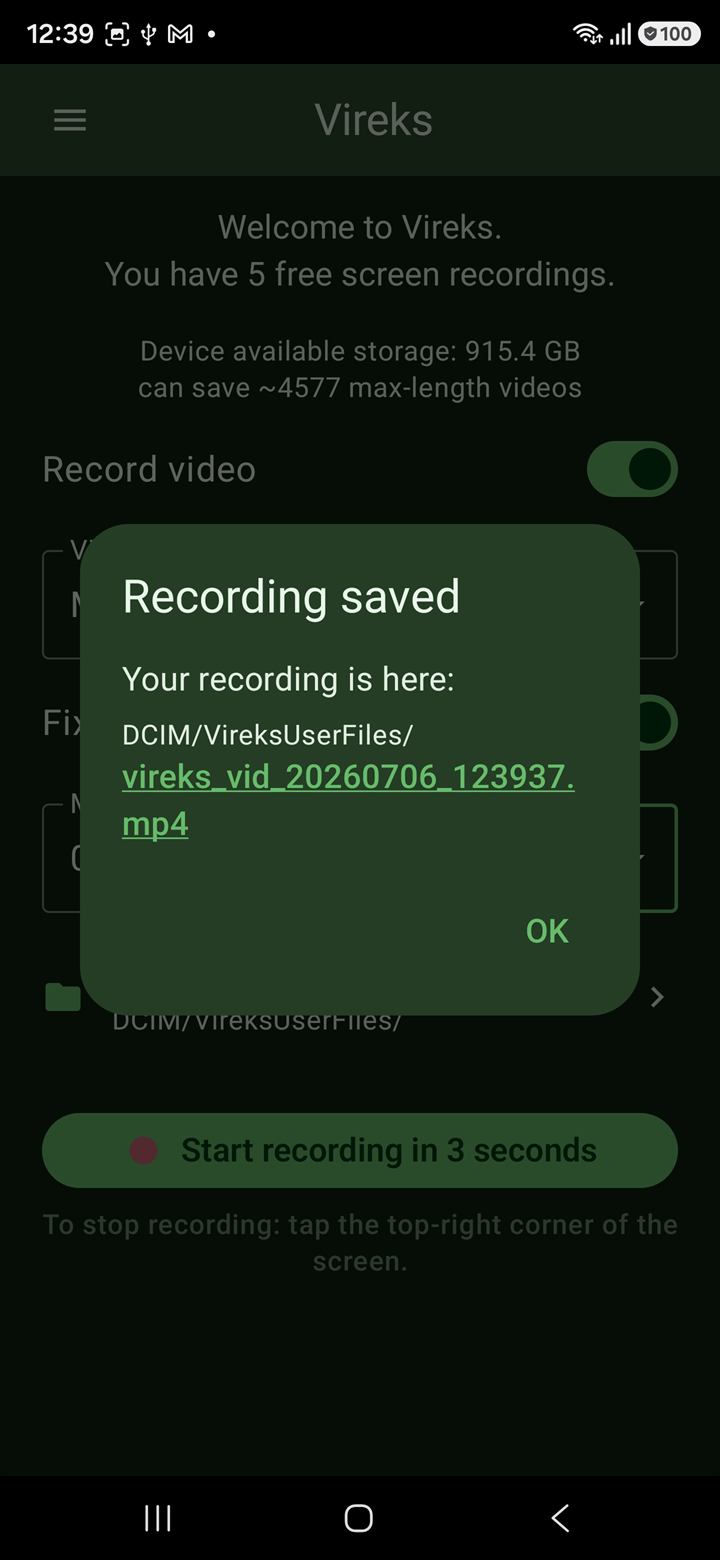
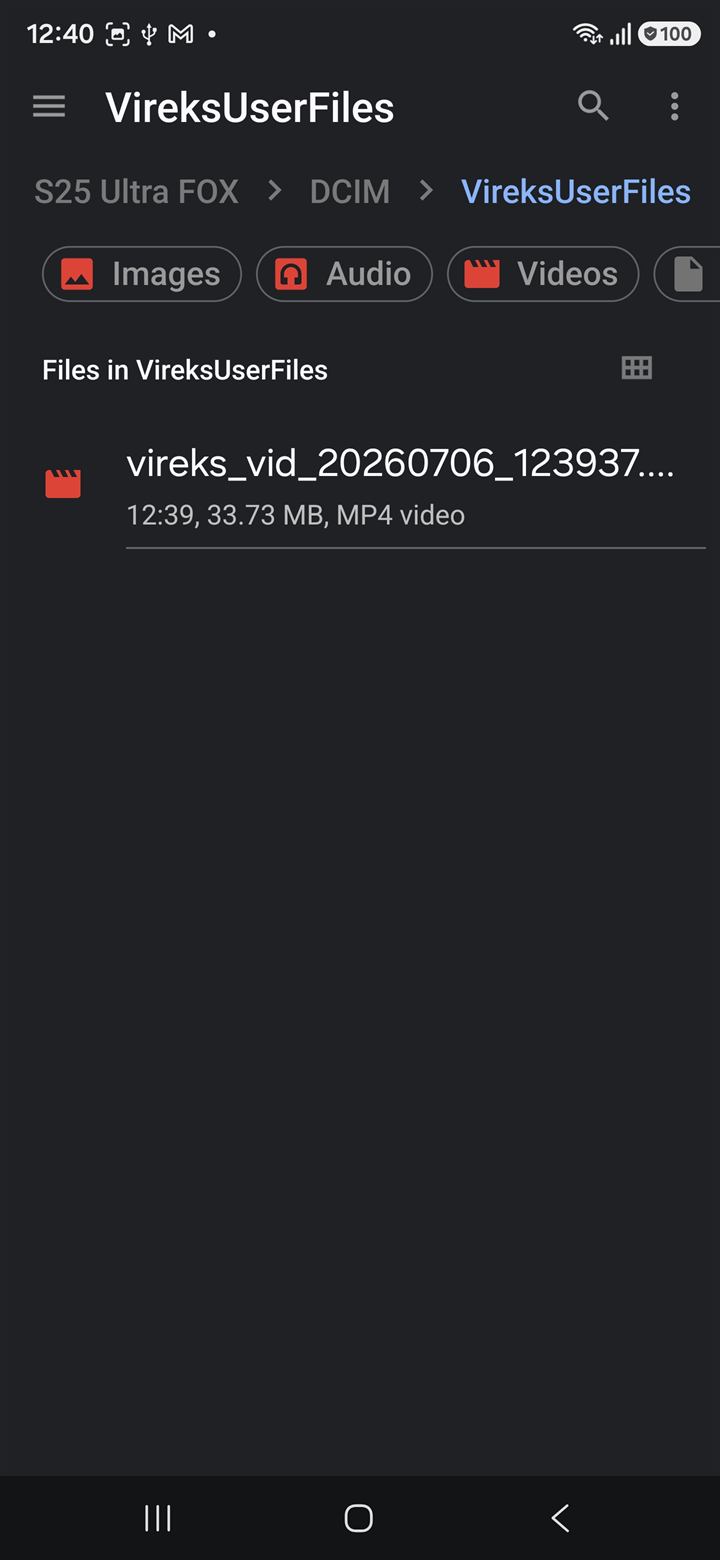
The file lands at DCIM/VireksUserFiles/vireks_vid_<date-time>.mp4. Photos, Gallery, and Files all pick it up automatically. Vireks also offers to pin a "VireksFiles" shortcut on your launcher home screen.

See it on your phone

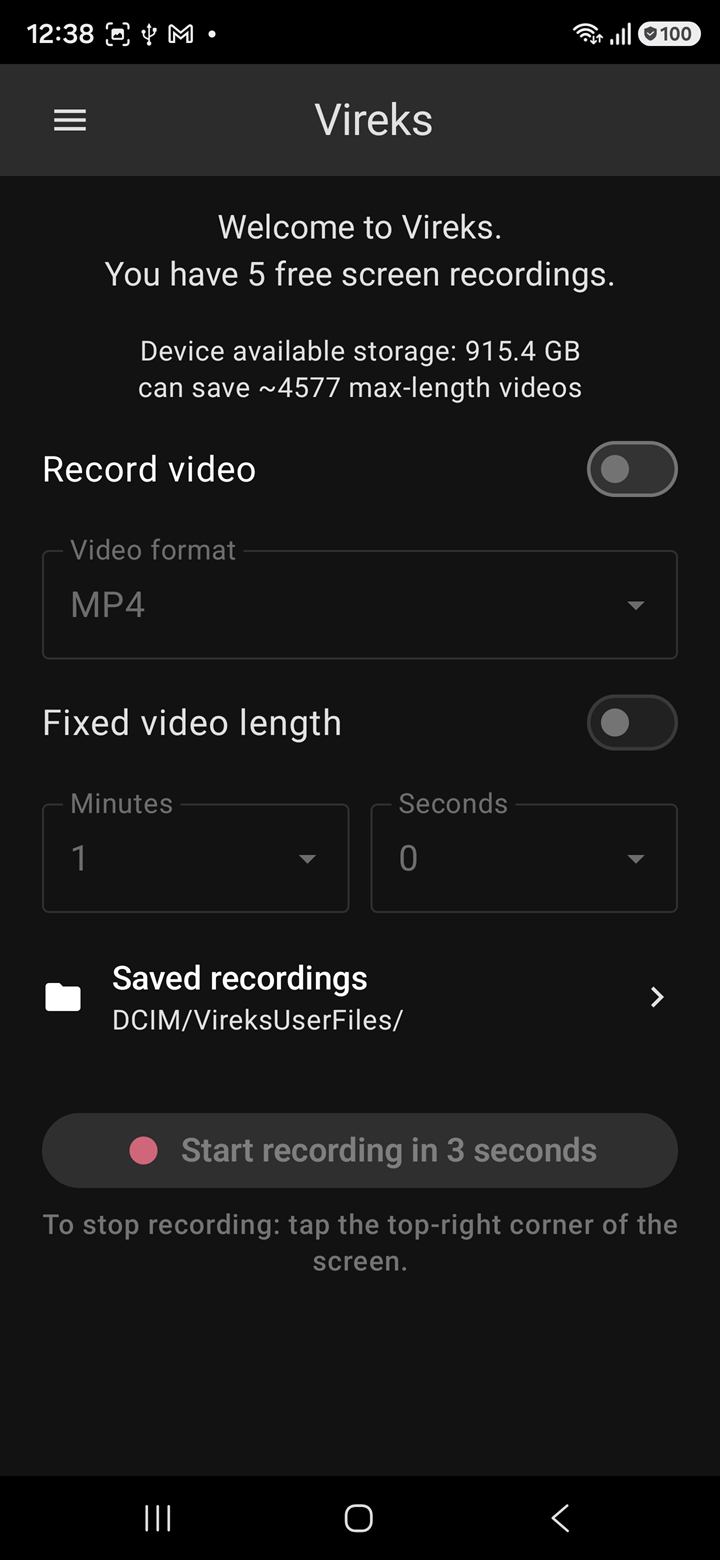
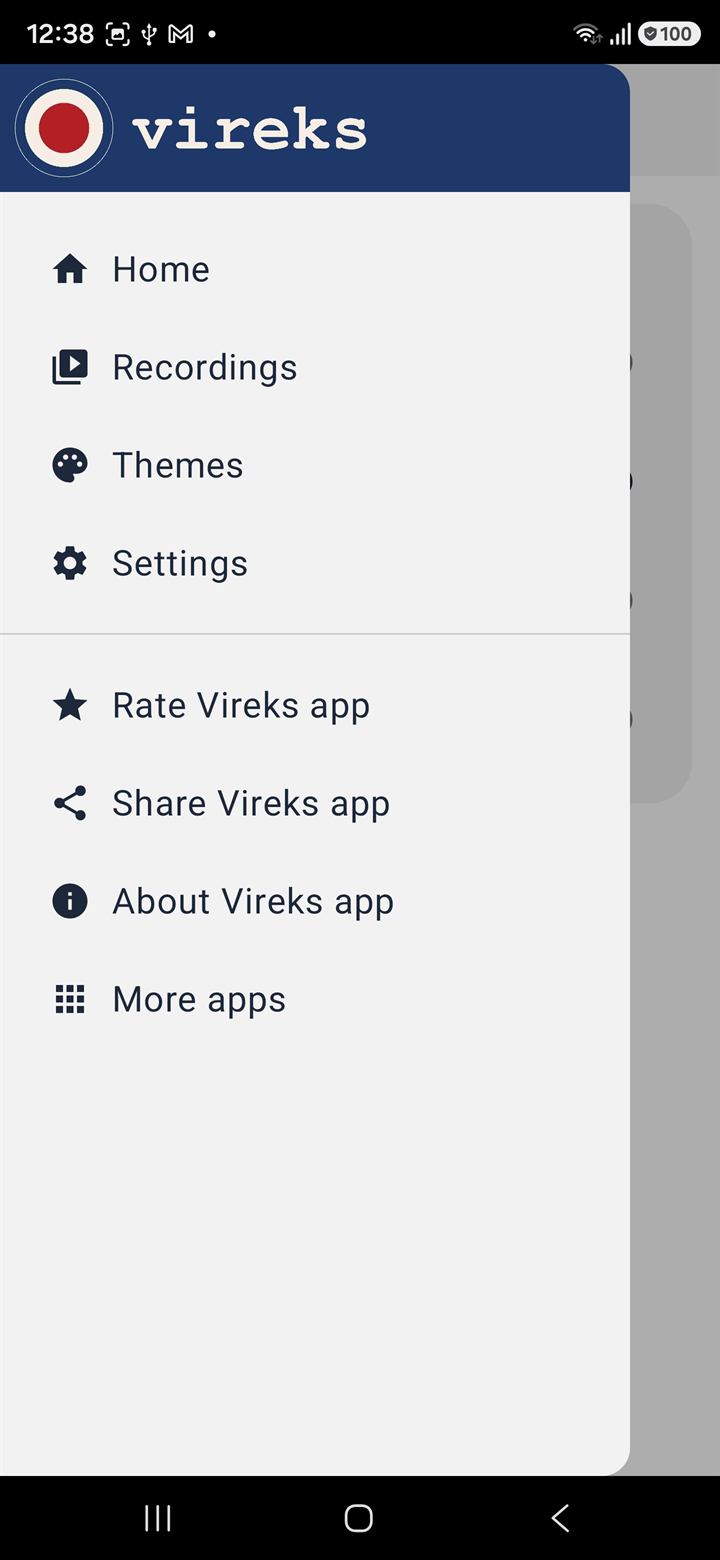
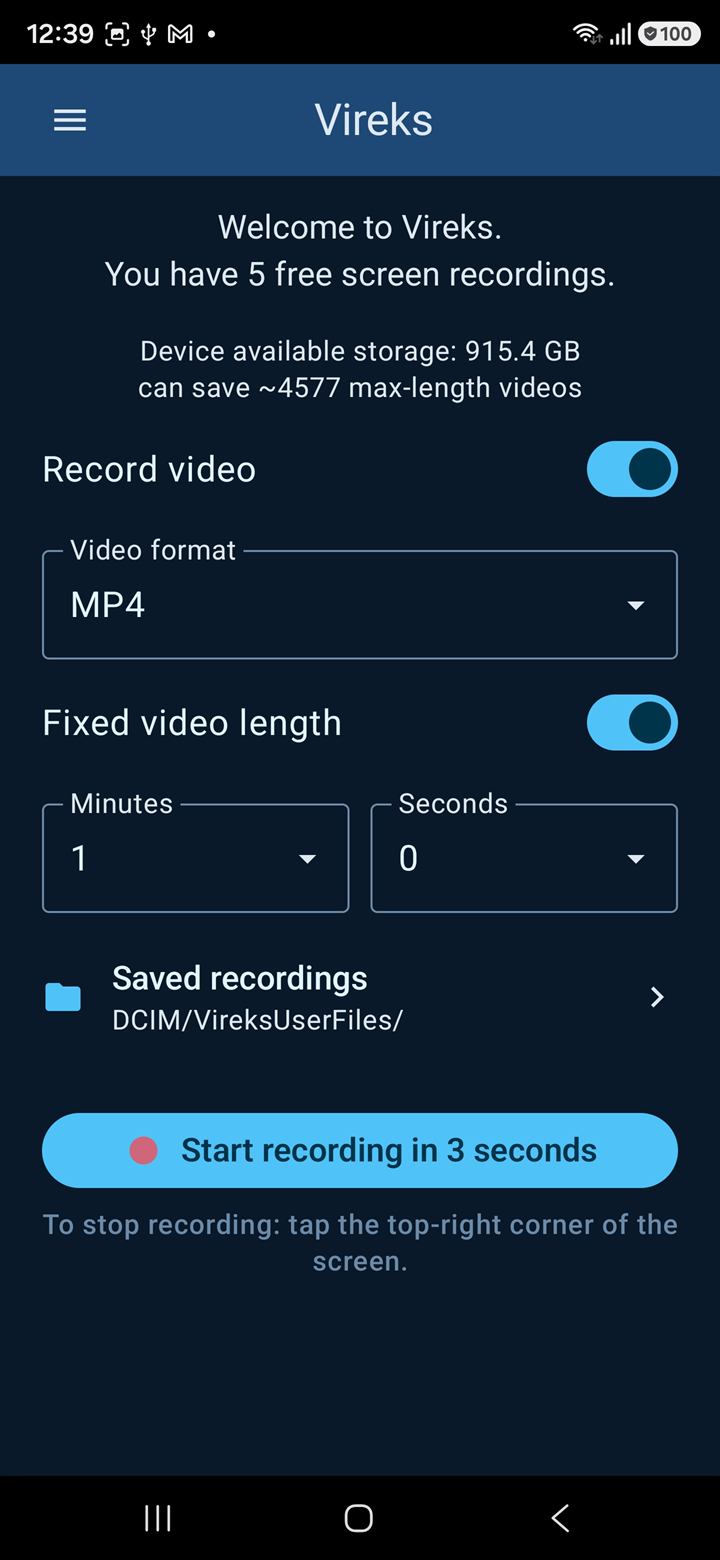
Vireks, from open to file, in five screens.

Real, unmodified screenshots taken on a phone running Vireks v1. Dark theme, one screen at a time — in the order you'd meet them the first time you open the app.

What it does

A short, complete feature list.

Vireks's whole feature surface fits on one page. One utility, done well, and out of your way. For visuals, jump back up to Screenshots.

Clean home screen

Start, settings summary, free-recordings counter, and an "Open my files" row. Nothing else competing for attention.

One-tap stop

A fully transparent tap zone in the top-right corner stops the recording. Zero pixels are composited into the captured video.

Standard MP4 output

H.264 video plus AAC audio (or WebM with VP9 + Opus). Plays everywhere: YouTube, Play listings, every editor. No exotic format, no transcode step.

Microphone audio (optional)

Off by default. If you turn it on, Android shows the runtime RECORD_AUDIO prompt. Decline and Vireks just produces a silent video — no failure, no nag.

Storage-aware Start

Before recording, Vireks checks free space. Plenty? Silent green light. Low? A clear warning dialog. Critical? Vireks refuses to start so you don't end up with a corrupt half-file.

Saved recordings, in your gallery

Vireks does not bury your files in app-private storage. They go into the standard DCIM/VireksUserFiles/ folder so any media app can find them — and so can you, with one tap.

Provably private

The privacy claim is enforced in the manifest.

"Provably private" is not marketing copy bolted onto a normal SDK-stuffed app. It is a structural property of how Vireks is built.

Manifest-level proof

Vireks's final, merged Android manifest does not request INTERNET. You can inspect it with aapt dump permissions on the published APK and see for yourself.

No telemetry libraries

Vireks does not link to Firebase Analytics, Crashlytics, App Center, Sentry, Adjust, AppsFlyer, Facebook SDK, or any advertising network. The release build has zero outbound network calls.

Local files only

Recordings live in DCIM/VireksUserFiles/ on your device. They go to the cloud only if you, the human, explicitly share them with another app via the standard Android share sheet.

The free counter is local too

The "5 free recordings" counter lives on your device. There is no server keeping score, no account, no email asked. A factory reset resets the counter — we accept that trade-off because the alternative would be a server that lies about everything else.

Payment goes through Google Play

The €5 unlock is a Google Play in-app purchase. The network call to process it happens inside the Play Store app on your device, not inside Vireks. Vireks asks Play whether you've paid; Play tells it yes or no. That's the whole handshake.

EU-based publisher

Vireks is published by ZADIO EOOD, registered in Bulgaria (European Union). Your statutory consumer-protection and data rights under the GDPR, the EU Consumer Rights Directive, and the Digital Content Directive apply by default.

Read the full posture in our Privacy Policy and verify the publishing entity in the Imprint.

Pricing

One honest price.

Five free recordings on the house. After that, €5 — paid once, billed by Google Play, owned for life.

All prices include applicable VAT, collected and remitted by Google Play. Billing is handled by Google Play. Cancellation, refunds, and EU withdrawal rights are covered in our Refund & Withdrawal Policy.

Frequently asked

Honest answers, in plain English.

Is Vireks free?

It is free to install and free to use for your first five full-quality recordings, so you can verify it works on your device and your apps before paying. After that the Start recording button is locked until you make the €5 one-time in-app purchase. Everything else — playback, sharing, deletion, settings — stays accessible forever.

Does Vireks have ads?

No. Free or paid, never. There is no advertising SDK in the build.

Does Vireks need internet?

No. The Android manifest does not request the INTERNET permission. Recording, playing back, and sharing all work offline. The €5 unlock is processed by the Google Play Store app on your device — that network call lives inside Play, not inside Vireks.

Does Vireks collect any data about me?

No. There is no analytics, no crash reporter, no advertising-ID read, no profile, no account. The Play Data Safety form for Vireks states: nothing collected, nothing shared. Recordings stay on your phone unless you share them yourself with the Android share sheet.

How do I stop a recording?

Tap the top-right corner of your screen. Vireks places an invisible tap zone there during a recording. The corner is not painted into the video — only your underlying app shows in that area — so the recorded file is byte-for-byte free of Vireks UI. There is no on-screen Stop button by design (it would have to appear in the recording).

Why does Vireks need the "Display over other apps" permission?

The corner-tap is Vireks's only Stop affordance, and it lives inside a fully transparent overlay window. Android only lets apps host such a window after the user grants the "Display over other apps" special access. Vireks asks for that permission once, in plain English, on first launch. The Start button is disabled until you grant it. The overlay draws zero pixels — it exists only to catch a tap on the corner.

What is the maximum length of a recording?

5 minutes per recording. The cap is intentional: Vireks targets quick app demos, walkthroughs, and tutorials — long enough for the typical use case, short enough that a 1080p H.264 file stays around 150-200 MB.

Can I record system audio (game audio, notifications, video playback)?

Not in Vireks v1. v1 ships with microphone-only audio (off by default).

Can I record the inside of my banking / DRM-protected app?

No, and that is not Vireks's choice — it is Android's. Apps can mark themselves as "secure" via the FLAG_SECURE flag (banks, video-streaming apps, password managers frequently do). Any screen recorder, system or third-party, sees those windows as black frames. There is no API any non-system app can call to bypass that.

What Android versions does Vireks support?

Android 8.0 (API 26) and newer. That covers more than 95% of the active Android install base in 2026.

What happens to my recordings if I uninstall Vireks?

Your recordings stay where they are — in DCIM/VireksUserFiles/. They are normal MP4 files owned by your device's gallery; uninstalling Vireks does not delete them.

I bought Vireks. Do I have to pay again on a new phone?

No. Google Play attaches your purchase to your Google account. Install Vireks on any device signed in to the same account, and the €5 unlock restores automatically the first time you open the app.

Can I get a refund?

Google Play handles billing and refunds. EU consumers have a 14-day right of withdrawal under Directive 2011/83/EU; the exception in Article 16(m) for "digital content supplied not on a tangible medium" applies once you start using the paid features, so be sure during the free recordings whether Vireks is right for you. Full details on the Refund & Withdrawal page.

What languages does Vireks support?

Vireks v1 ships in English. The UI text is short and functional, so a translation pass is straightforward — if there is demand we'll add more languages in v1.x.

Who builds Vireks?

ZADIO EOOD, a small software company registered in Bulgaria (European Union). EIK 201209745, VAT BG201209745. See the full Imprint for the trader record.

Ready when you are

Try Vireks the way it is meant to work.

Five free, full-quality recordings to prove the app does what it says. Then €5 once if you want to keep going. Honest pricing for an honest tool.

Get it on Google Play
Vireks records what is shown on your screen. Recording protected content (DRM-protected video, secure banking surfaces) is not possible — Android blackens those frames at the system level. Always respect the law and the rights of the people whose content is on the screen.